
This is the practical step-by-step path from “I’m thinking about it” to “I have a verified BingX account, copy-trading three filtered lead traders.” It covers registration, security setup, Advanced Verification for the 5,000,000 USDT/day withdrawal tier, the first deposit, and the first copy allocation. Total time end-to-end: 30-45 minutes active, plus up to 24 hours for verification approval.
Read the BingX review for the why; this guide is the how.
Not financial advice. Crypto trading is high risk. Copy trading delegates execution to another trader and can amplify losses. Verify rules in your jurisdiction before depositing.
Before you start: country availability
BingX is not available to users in the United States (residents and persons present in the US), Cuba, Iran, North Korea, Syria, the Crimea, Donetsk, and Luhansk regions, and for Singaporean retail customers. Other jurisdictions are listed in the BingX terms of service.
Do not use a VPN to register from a restricted country. The platform geo-blocks restricted IPs, and bypassing this violates the terms of service. Accounts caught registering from a blocked location can be closed and assets frozen. The risk is not worth the workaround.
If you are in a supported country, continue.
Step 1: Open BingX and click Sign Up
Open the BingX site through your preferred entry point and click the Sign Up button in the top-right corner. The mobile app version of the same flow is on the iOS App Store and Google Play.
Open the registration page: Start signing up on BingX
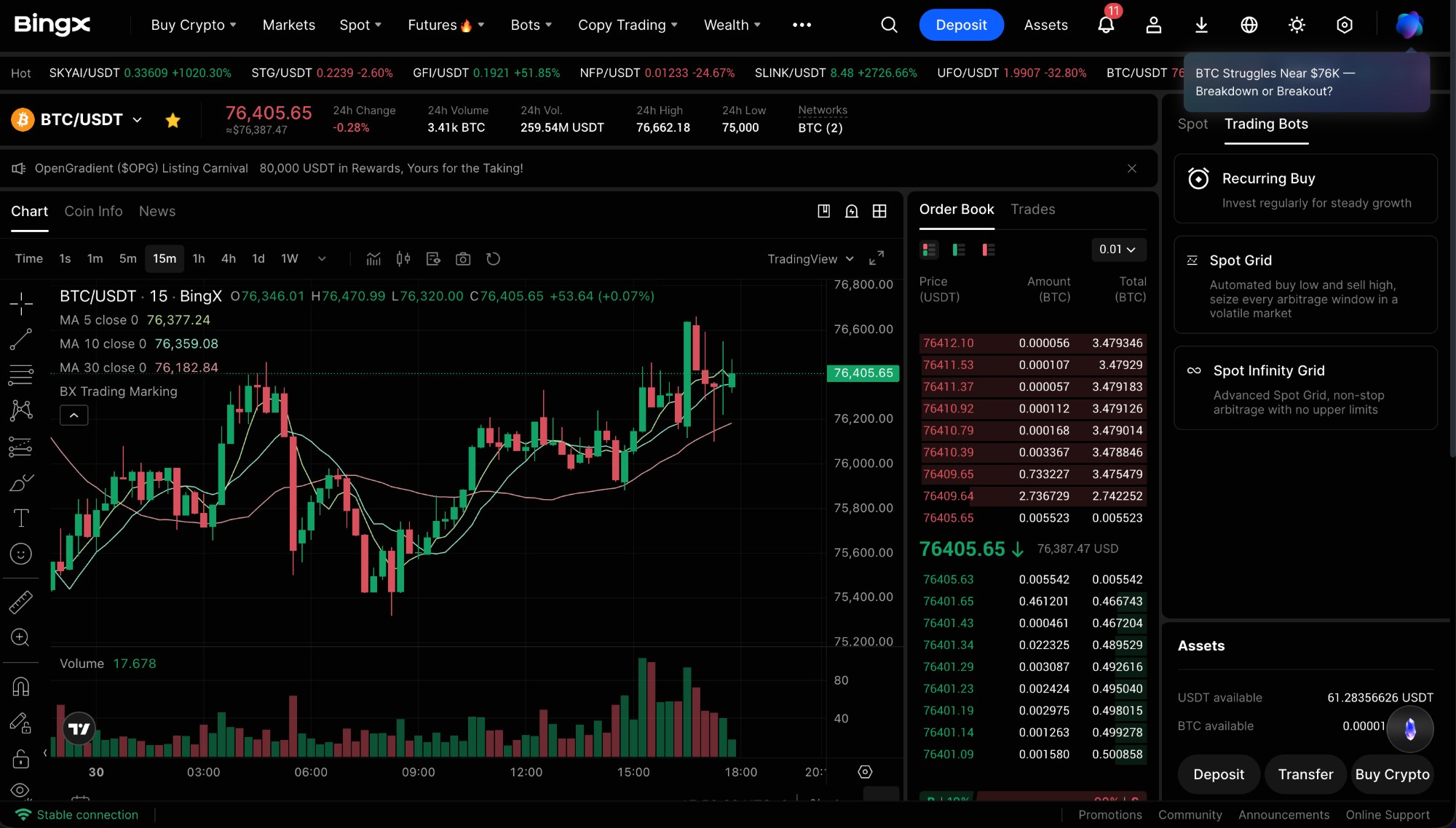
Step 2: Choose Email and create a strong password
Two registration methods are offered: Email or Phone Number. We recommend Email - it works in every supported country and uses standard recovery flows.
The password must be 8 to 32 characters with a mix of upper case, lower case, numbers, and at least one special character. Do not reuse a password from any other exchange or service. Credential reuse is the single most common path to a hijacked exchange account. Use a password manager (1Password, Bitwarden, or your browser’s built-in vault behind a master password) to generate something you cannot remember by accident.
If you arrived via a referral link, the Referral Code field is pre-filled. Using a referral does not change your fees or limits. Slide-to-verify the CAPTCHA at the bottom of the form.
Step 3: Verify your email
BingX sends a 6-digit verification code to your inbox. Open the email - the sender should be noreply@bingx.com or similar - and enter the code in the registration form within ten minutes (the code expires).
If the email does not arrive within two minutes, check the spam folder. If it is still missing, click Resend. Some corporate inboxes and Gmail aliases (for example, you+anything@gmail.com) silently discard exchange emails - use a clean address if you hit this.
Step 4: Enable 2FA - do this in the first session
Two-factor authentication is the single most important security setting on any exchange account. From your dashboard, click your profile icon (top-right) → Security Settings → Two-Factor Authentication.
Choose Google Authenticator rather than SMS. SIM-swap attacks against crypto exchange users are common, and SMS 2FA is the most-attacked recovery vector. Install Google Authenticator (or Authy, 1Password TOTP, Raivo) on your phone, scan the QR code shown by BingX, and enter the resulting 6-digit code to confirm.
Save the backup codes BingX shows you. Write them on paper, store in a password manager, or save to a secondary device. If you lose your phone without these codes, account recovery becomes a multi-week support process.
Step 5: Set an anti-phishing code
Phishing emails impersonating exchanges are the largest single attack vector against retail crypto users. The anti-phishing code is a 4-20 character string that BingX includes at the top of every legitimate email it sends to you. Any email claiming to be from BingX that does not include your code is fake - close it, report it, do not click anything inside.
Set this in Security Settings → Anti-Phishing Code. Make it memorable but not guessable - not 12345, not your name, not your birthday. Take 30 seconds now. It will save you from a very real common scam later.
Step 6: Complete Advanced Verification for the 5,000,000 USDT/day tier
You can trade immediately after registration on the Standard tier, but withdrawals are capped well below the verified ceiling. We recommend completing Advanced Verification in your first session - it raises the daily withdrawal cap to 5,000,000 USDT, unlocks fiat options in supported countries, and makes your account harder to lock during AML reviews.
Go to your profile → Identity Verification → Individual Verification → Advanced Verification → Get Started. You will need:
- A government-issued ID - passport, national ID, or driver’s licence
- Front and back photos in clear daylight, no glare, all four corners of the document visible
- A liveness check (selfie via your phone or webcam)
Approval typically takes 5 minutes to 24 hours. You can keep using the platform during this window at the Standard tier - trading is enabled, only withdrawal caps differ.
Step 7: Make a small first deposit
Never deposit your full intended trading capital on the first session. Test the entire round-trip - deposit, hold, withdraw - with a small amount first. 200 to 500 USD is enough.
In the dashboard top navigation, click Deposit. Select a stablecoin (USDT or USDC are simplest) and a network (Tron / TRC20 is fastest and cheapest for USDT; Ethereum / ERC20 is slowest and most expensive). Critical: the network you select on BingX must match the network you send from on the source side. A wrong-network transfer can result in permanent loss of funds.
Copy the deposit address, send from your source wallet or exchange, and wait for the network confirmations: 1 confirmation on Tron, 6 on Bitcoin, 12 on Ethereum. Funds appear in your spot wallet automatically once confirmed.
Step 8: Open the Copy Trading leaderboard
With funds in your account, click Copy Trading in the top navigation, then open the Leaderboard. The default sort is 7-day ROI - ignore the top of that list. The number-one slot at any given moment is usually a 3-7-day-old account that hit a leveraged streak; we showed why in the BingX review.
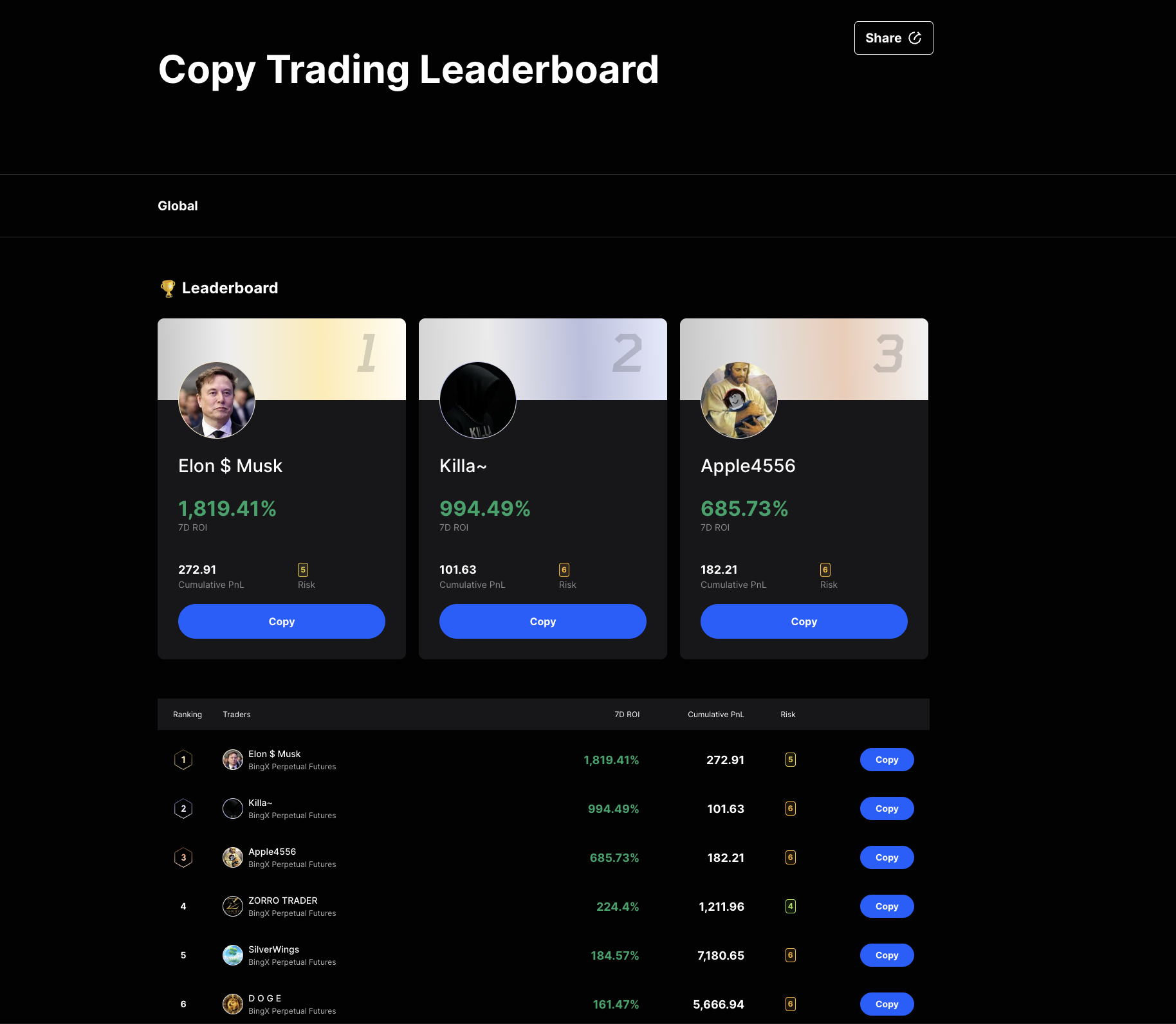
Sort instead by Cumulative PnL (descending) and filter by:
- Risk score: 4 or lower if available
- Copy Trading days: at least 90, ideally 180+
- Average Holding Time: avoid pure scalpers (sub-1-hour holds usually mean high-frequency strategies that scale poorly across copiers)
- Equity curve shape: gradual, not vertical
Open trader detail pages, shortlist three to five candidates. Allocate copy capital across multiple traders, not one - single-trader concentration is the most common copy-trading mistake.
Open the leaderboard: BingX Copy Trading Leaderboard →
Common mistakes new users make
- Skipping 2FA setup (“I’ll do it later”). Most accounts compromised on day 1 had email-only login.
- Storing the password in browser autofill without a master password. One malware infection equals full exchange access.
- Reusing the same email + password as another exchange or service. Credential stuffing is the #1 vector for account takeovers.
- Accepting the default network on a deposit. Always double-check that the source-side network matches what BingX expects.
- Copying the top of the 7-day ROI leaderboard. That slot is structurally biased toward small high-leverage accounts.
- Allocating all copy capital to one trader. Diversify across three to five.
- Not testing a small withdrawal before scaling. Always confirm you can get money out before you deposit serious size.
Your 7-day checklist
- Day 1: Register, enable 2FA, set anti-phishing code.
- Day 1-2: Submit Advanced Verification.
- Day 3: Verification approved, small deposit tested (200-500 USD).
- Day 4: First withdrawal tested - send a tiny amount to a self-custody wallet you control and confirm it arrives.
- Day 5-6: Build a shortlist of five candidate lead traders, monitor their activity and equity curves without copying yet.
- Day 7: First copy allocation across three traders, total capital allocated ≤ 25% of intended size. Increase only after 30 days of observed performance on your account.
After your first session
Read the methodology for the full lead-trader scoring framework. Run your monthly trading volume through the fee calculator before scaling. The BingX review covers fee tiers, security incidents, jurisdictional restrictions, and how the platform compares to direct rivals.
Open an account: Register on BingX See the affiliate disclosure for full detail.
Frequently asked questions
How long does it take to register on BingX?
Two to three minutes for the email and password form. Email verification adds another minute. Setting up 2FA and the anti-phishing code takes another five minutes. Advanced Verification (KYC) takes 10 to 30 minutes to submit and 5 minutes to 24 hours to be approved.
Do I need KYC to use BingX?
Email registration unlocks Standard-tier trading immediately, including spot, futures, and copy trading. Advanced Verification (KYC) is required for the 5,000,000 USDT daily withdrawal tier and unlocks fiat on-ramps in supported countries. New accounts in EU member states, the UK, and Australia may face mandatory KYC at signup due to MiCA and local AML rules.
Is BingX safe?
BingX publishes Merkle-tree proof-of-reserves attestations and operates a stated user-protection fund. After a September 2024 hot-wallet incident with reported losses of around 44 million USD, all user balances were covered and operations resumed within 24 hours. Custody risk is non-zero on any centralized exchange - withdraw long-term holdings to self-custody.
Can I use BingX without a referral code?
Yes. The Referral Code field is optional. Using a partner referral does not change your trading conditions, fees, or limits - it only credits the partner with a portion of BingX's revenue from your trading. Whether you use one or not, your account is identical.
What is the minimum deposit on BingX?
There is no platform-wide minimum deposit. Network minimums apply per asset and chain. For example, USDT on Tron (TRC20) typically has a per-deposit minimum of a few USDT. Check the deposit page on the asset you select.
Can I copy trade on BingX without verification?
Yes. Standard-tier accounts can spot trade, trade futures, and copy trade. Advanced Verification (KYC) is not required to start. However, the daily withdrawal limit at the Standard tier is significantly lower than the 5,000,000 USDT cap available at the Advanced Verification tier.
Which countries cannot use BingX?
BingX is restricted in the United States, Cuba, Iran, North Korea, Syria, the Crimea, Donetsk, and Luhansk regions, and for Singaporean retail customers. Other restrictions are listed in the BingX terms of service. Using a VPN to bypass restrictions violates the terms and can result in account closure or frozen funds.
#BingX#registration#how-to#copy trading#security
Discussion
Loading comments…