
Withdrawing Bitcoin means moving it off the exchange, either as crypto sent to a wallet you control or as cash sent to your bank after a sale. This guide covers both, with the focus on doing it safely, because a crypto transfer cannot be undone once it is sent.
This is general education, not financial advice. Blockchain transfers are irreversible, so go slowly and double check every detail. Read our risk disclaimer before moving funds.
Key takeaways
- Verify your account first. Withdrawals are limited until you do.
- The network you pick must match the destination wallet, every time.
- Transfers are irreversible, so check the first and last characters of the address.
- For long term holdings, a wallet you control is safer than an exchange.
How to withdraw Bitcoin: the short version
Verify your account, copy the receive address from your destination wallet, open Withdraw on the exchange, paste the address, select the matching network, enter the amount, review the fee, and confirm with two factor authentication. The detailed steps below use BingX as the example, the same exchange from our how to buy Bitcoin guide.
Two kinds of withdrawal
People mean two different things by withdrawing Bitcoin:
- Crypto withdrawal: sending the BTC itself to an external wallet you control. This is the main focus below.
- Cash withdrawal: converting BTC to money and sending it to your bank or card. For that, sell first with our how to sell Bitcoin guide, then withdraw the cash.
How to withdraw Bitcoin step by step
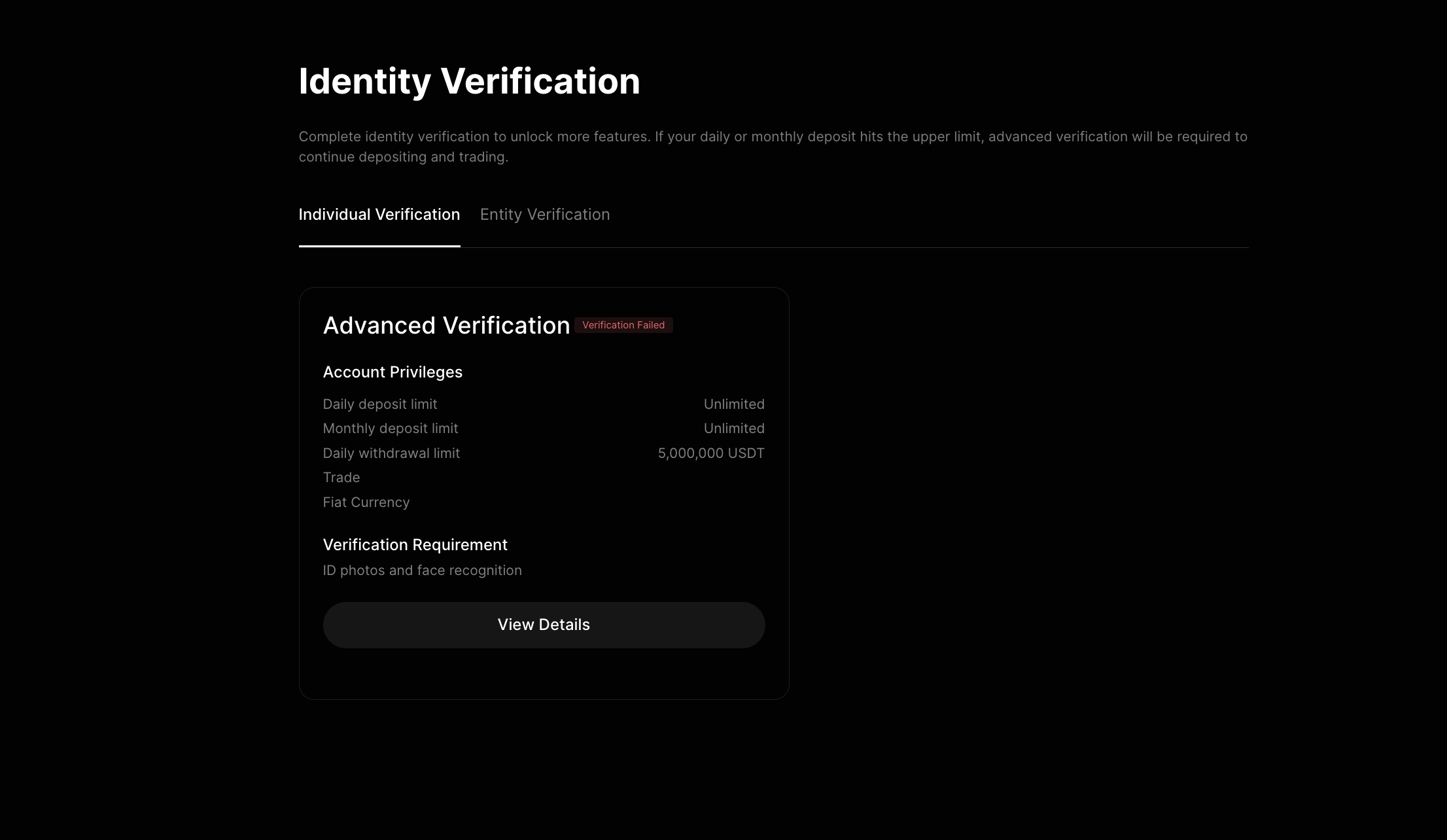
Step 1: Verify your account
Withdrawals are restricted until your identity is verified, and verification also sets your daily withdrawal limit. Get this done before you need to move funds.
Step 2: Copy your destination address
Open the wallet you want to send to, whether that is a hardware wallet, a mobile wallet, or another exchange. Find the Bitcoin receive address and copy it. Note the network it uses, because you will need to match it in the next step.
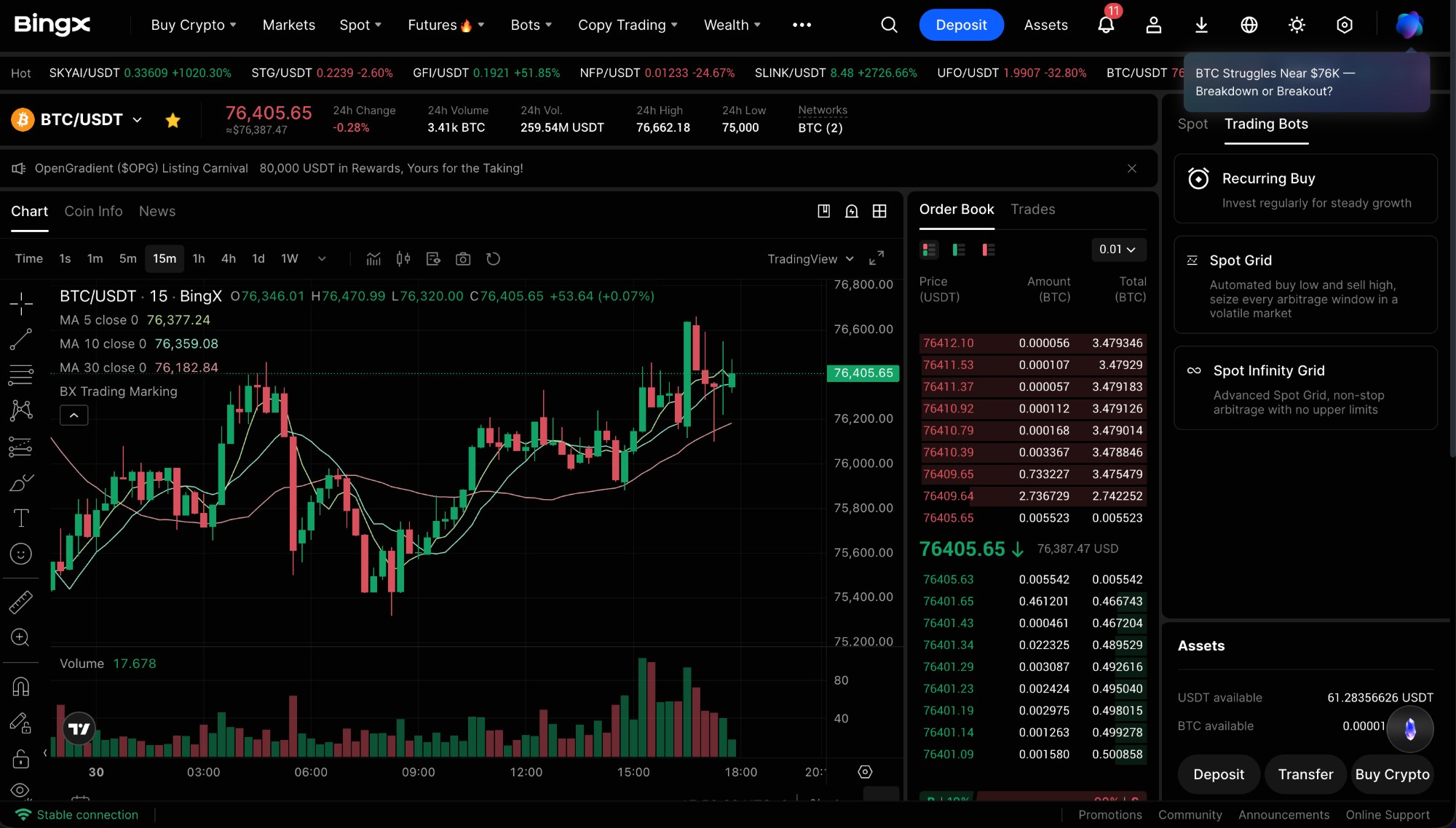
Step 3: Open Withdraw and paste the address
In your exchange assets, choose Bitcoin and select Withdraw. Paste the address, then pick the network that matches your wallet exactly. This is the step where mistakes cost money: if the network does not match the destination, the funds can be lost for good.
Step 4: Enter the amount, review the fee, and confirm
Type the amount, then check the network fee and the total you will receive after it. When everything looks right, confirm with two factor authentication or an email code. The transfer then waits for the network to confirm it, usually within minutes to an hour.
Choosing the right network
The single rule that saves people from lost funds: the network you select on the exchange must match the address you are sending to. Bitcoin sent on the Bitcoin network goes to a Bitcoin address. If your wallet gave you an address for a different network, select that exact network. When in doubt, send a small test amount first, confirm it arrived, then send the rest.
Withdrawal fees and limits
You pay a network fee that rises and falls with congestion, plus any flat fee the exchange adds. Your daily withdrawal limit depends on your verification level, which is why Step 1 matters. The exchange shows the fee and the final amount before you confirm, so always read that line. Fee detail for our example exchange is in the BingX review.
How to withdraw your cash instead
If you actually want money in your bank rather than Bitcoin in a wallet, the path is different. First sell your BTC following our how to sell Bitcoin guide, then withdraw the resulting cash to your bank, card, or through a P2P trade. New to managing your own funds? Our crypto risk management basics covers self custody and the common mistakes to avoid.
Bottom line
Withdrawing Bitcoin safely is about care, not speed: verify your account, copy the right address, match the network, review the fee, and confirm with two factor authentication. Transfers are irreversible, so a slow double check beats a fast mistake. When you are ready, you can get started on BingX and manage your Bitcoin with confidence.
This article is for education only and is not financial advice. Cryptocurrency is volatile and blockchain transactions cannot be reversed. Never move more than you can afford to lose, and read our risk disclaimer first.
Frequently asked questions
How do I withdraw Bitcoin to my wallet?
Copy the Bitcoin receive address from your wallet, open Withdraw on your exchange, choose Bitcoin, paste the address, select the matching network, enter the amount, and confirm with two factor authentication. The transfer arrives after the network confirms it.
Why is my Bitcoin withdrawal pending?
A withdrawal stays pending while the network confirms the transaction, and sometimes while the exchange runs a security review. Bitcoin transfers usually confirm within minutes to an hour. New devices or large amounts can trigger an extra hold.
What network should I use to withdraw Bitcoin?
Use the network your destination wallet supports. For Bitcoin itself that is the Bitcoin network. The single most important rule is that the network you select on the exchange must match the address you are sending to, or the funds can be lost.
How much does it cost to withdraw Bitcoin?
You pay a network fee that changes with congestion, plus any flat fee the exchange adds. The exchange shows the fee and the amount you will receive before you confirm, so always review that line.
Can I withdraw Bitcoin without verification?
Most regulated exchanges restrict or block withdrawals until you complete identity verification. Verification also sets your daily withdrawal limit, so it is worth doing before you need to move funds.
Is it safe to leave Bitcoin on an exchange?
An exchange is convenient but you do not hold the keys. A small trading balance is fine, but for larger long term holdings, withdrawing to a wallet you control is safer. Our crypto risk management guide covers self custody.
Can I get my Bitcoin back after a wrong withdrawal?
Usually no. Blockchain transactions are irreversible, and sending to a wrong address or network often means the funds are gone. That is why you check the first and last characters of the address and confirm the network every time.
#Bitcoin#BTC#how to withdraw#wallet#BingX#2026
Discussion
Loading comments…